
Screenplay and revisions
Import Fountain, Final Draft (FDX), PDF or text, write on a page laid out as it prints, and see what every revision changes in the schedule.
Film and TV production software
PalaFilm brings the screenplay, breakdown, stripboard, call sheets, set reports and costs of a film or TV production into one project. It runs in your browser and keeps your data on your own devices.
One scene change updates the schedule, the call sheet, the work orders and the reports, so nobody types the same thing twice.
Import Fountain, Final Draft (FDX), PDF or text, write on a page laid out as it prints, and see what every revision changes in the schedule.
Breakdown suggestions for cast, props, vehicles, wardrobe and more, reviewed before they are applied, and breakdown sheets in the standard colours.
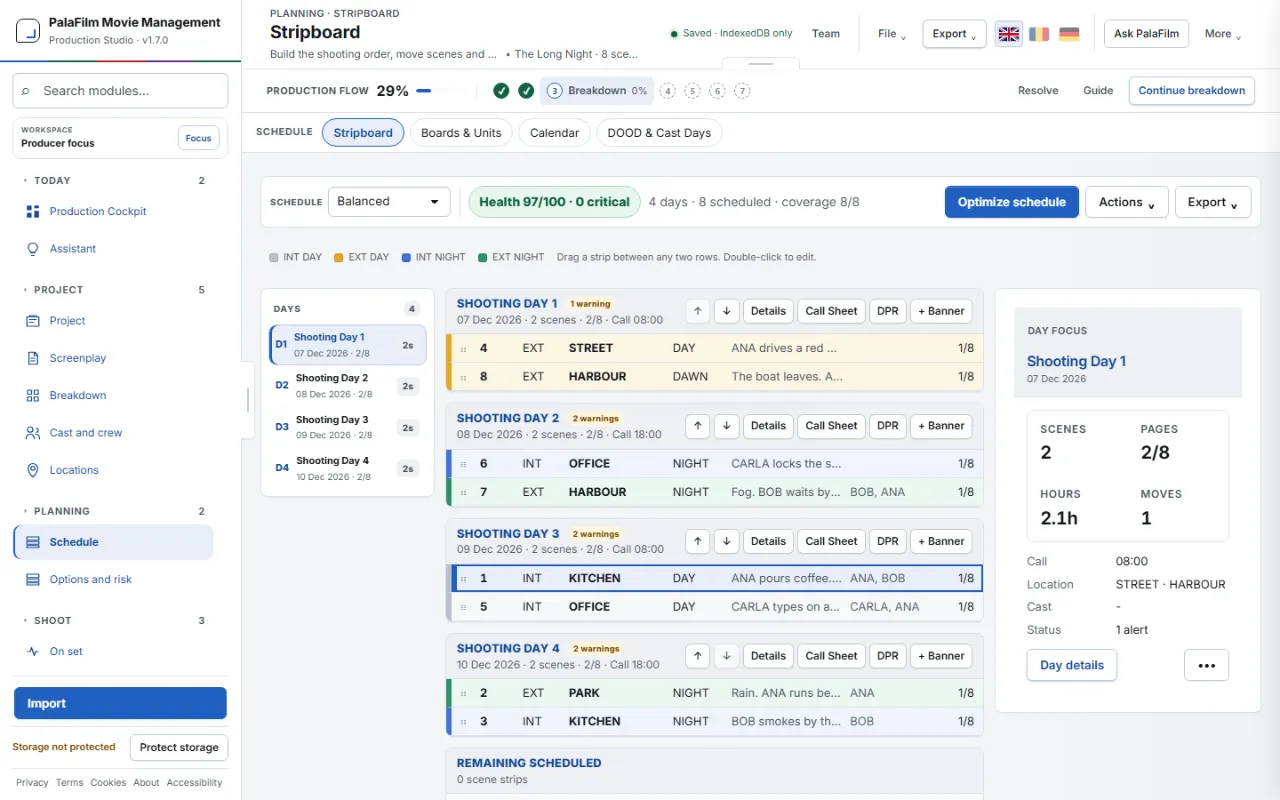
Drag strips between shooting days, lock scenes, respect cast and location availability, and let the optimizer propose schedules to compare.
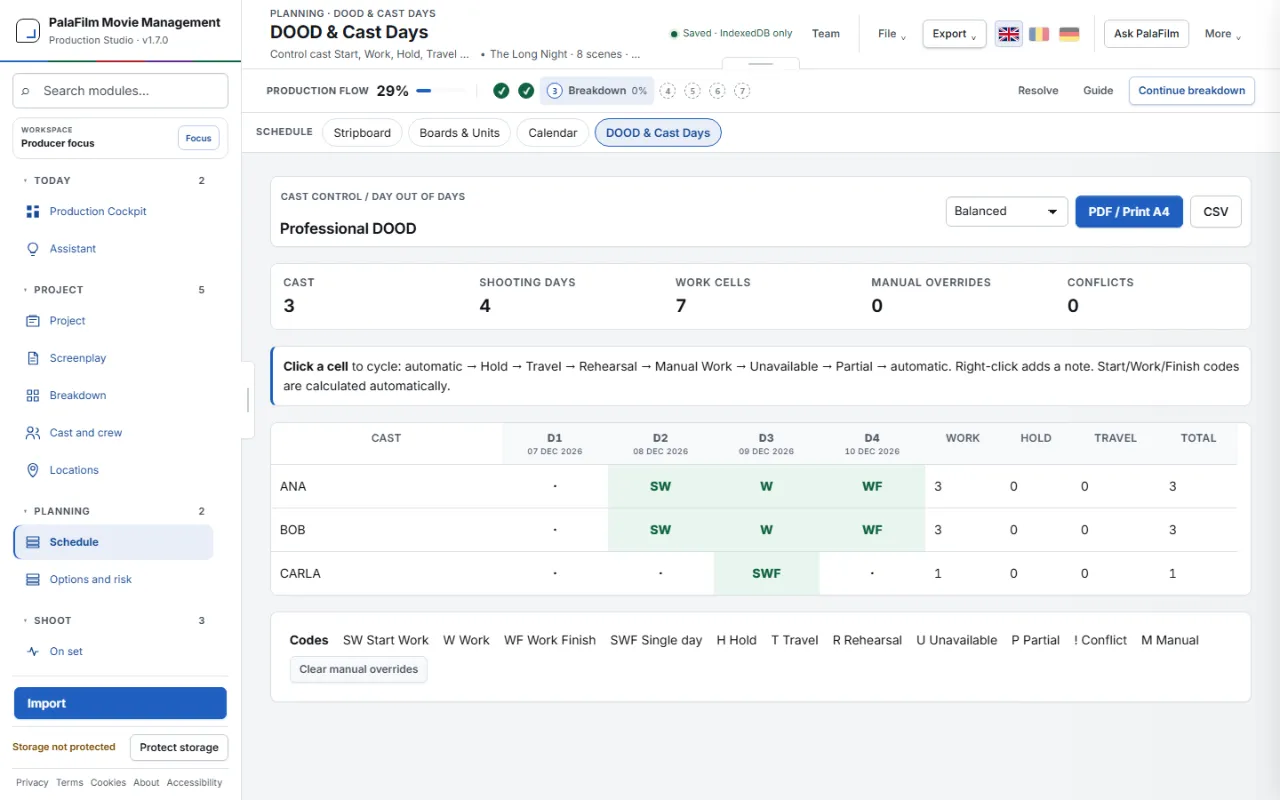
Work, hold, travel and rehearsal days for every performer, with totals per actor and the cost estimate that follows them.
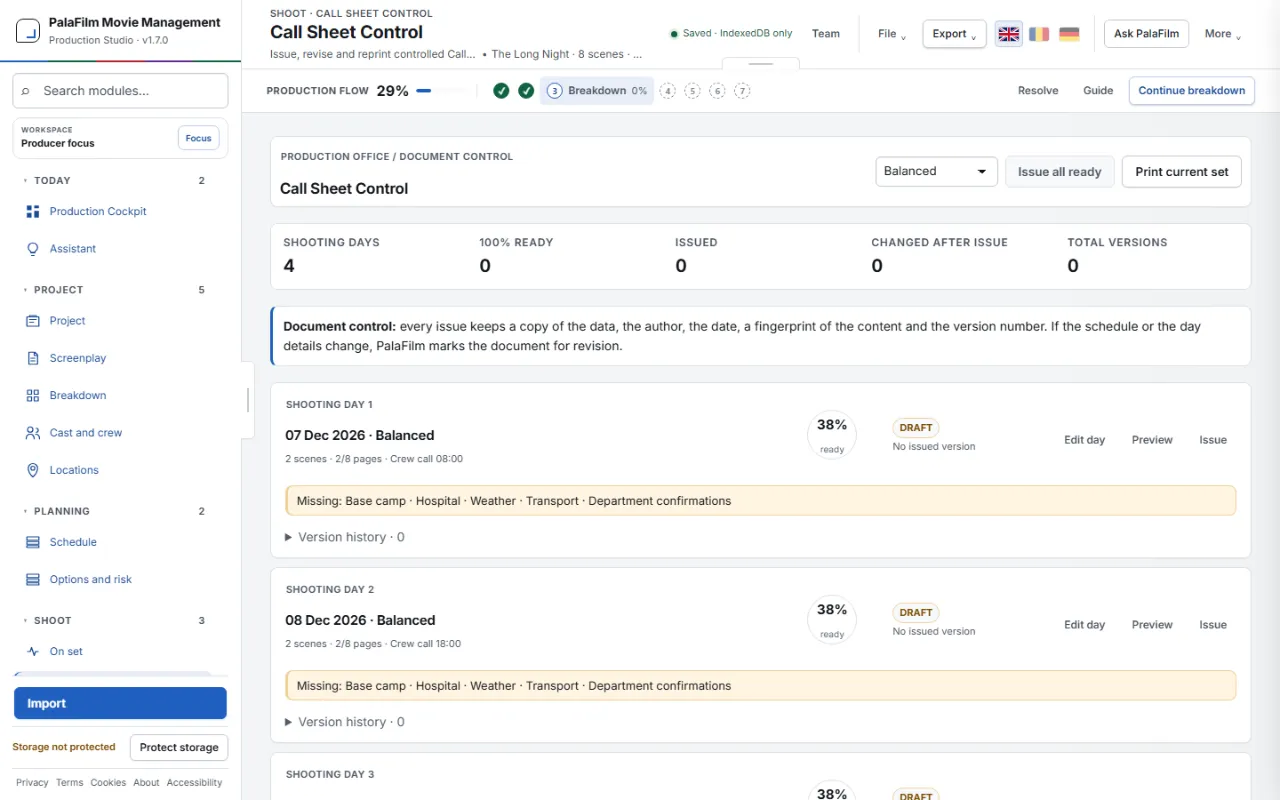
Versioned call sheets with cast and department calls, the advance schedule, weather and safety notes, issued to recipients who acknowledge them.
Scene status, takes, camera and sound rolls, delays and incidents as they happen, turned into the daily production report.
Media cards with SHA-256 copy verification, crew timecards with overtime and turnaround, permits and contracts with expiry alerts.
A budget top sheet, purchase orders, invoices, petty cash and budget-to-actual cost reports.
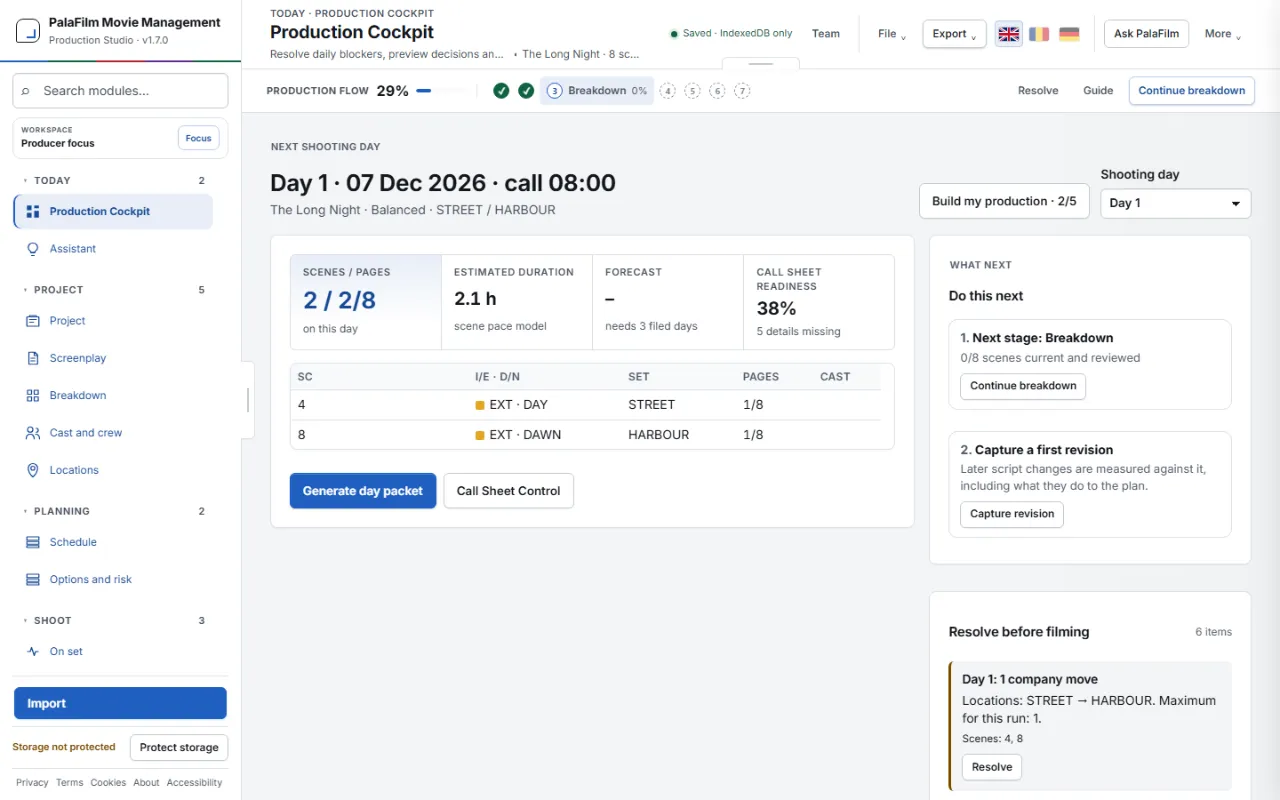
Build my production guides a new project from the script to day 1:
Every step shows what it found and asks before it changes the project. Undo takes any step back.
Shooting schedules, one-line schedules, call sheets, breakdown sheets and the Day Out of Days print with cast ID numbers and the standard strip colours, on A4 or US Letter. From any screen, the Export menu saves its report as PDF or a picture of the screen.
1st and 2nd AD, UPM, line producer, production manager and coordinator, who build and control the schedule.
Department heads, locations, transport, wardrobe, make-up and props, who receive work orders and daily packets.
Set, camera and DIT teams tracking scenes, takes, incidents, cards, rolls and verified copies.
Payroll, legal, insurance and accounting, with timecards, documents, purchase orders, invoices and cost reports.
PalaFilm Movie Management is film and TV production management software that runs in the browser. It covers the screenplay, script breakdown, stripboard scheduling, Day Out of Days, call sheets, live set reports, DIT, timecards, compliance and budgets in one project.
No. PalaFilm opens in a modern browser such as Chrome, Edge, Firefox or Safari. Where the browser offers it, it can also be installed as an app, and it works offline once loaded.
In the browser on your own device. There is no central database: you can export portable .PALA or encrypted .PALAX backups and sync devices with end-to-end encryption.
You can import Fountain, Final Draft (FDX), PDF, plain text, Excel (XLSX), PalaFilm projects and Movie Magic Scheduling (MSD) files, and export PDF reports, Excel, CSV, Fountain, PALA backups and an experimental MSD file.
The interface, the function guide and the printed reports are available in English, Romanian and German.
Only if you choose to. You can connect your own key from a supported AI provider for natural-language requests. Without one nothing is sent anywhere, and the breakdown suggestions, the scheduling and Build my production run locally.
Open PalaFilm in your browser, start from your screenplay or from a sample film, and have the first call sheet the same day.
Open PalaFilm